Reichel Architekten
Nadine Muhr designed the website of the Zurich architecture practice. I built it with A CMS that stores content in text files and needs no database. Fast, low-maintenance and easy to back up. and have looked after it since the launch in April 2026.
reichel-architekten.ch (opens in new tab)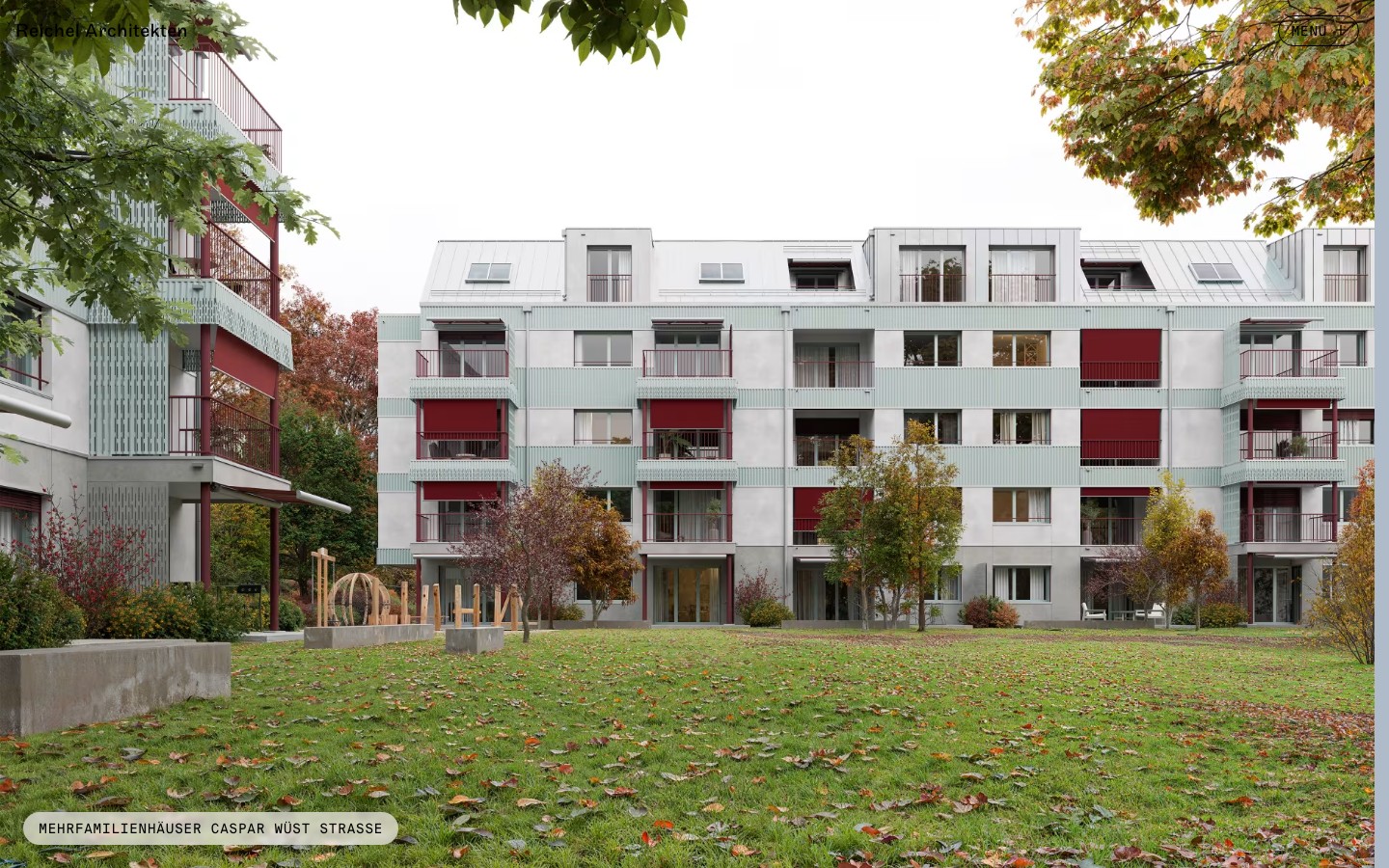
You have seen all {count} images.
If you continue you will start over.
-
PageSpeed Insights, performance/projekte
Before88 After100
-
Load time (LCP, simulated)/projekte
Before3.79 s After1.86 s
-
PageSpeed Insights, accessibilityhome page and /projekte
100
-
Cookieswhole site
0
- Client
- Reichel Architekten
- Year
- 2026
- Offers
- New website · Care
- Role
- Build & SEO
- Sector and place
- Architecture practice, Zurich
- Today
- I’ve looked after the site since its launch in April 2026 and host it on my server.
- CMS
- Kirby
- Frontend
- PHP · PostCSS · esbuild
Situation
- The practice wanted to show its projects: large images, a calm interface and short load times on phones and desktops alike.
- Nadine Muhr’s design came as drafts for phone, tablet, desktop and large screens.
- The old site ran on WordPress, where the project data sat only in the body text. Links to the old site, on Google and elsewhere, had to stay valid.
Design
Screens of the site
-
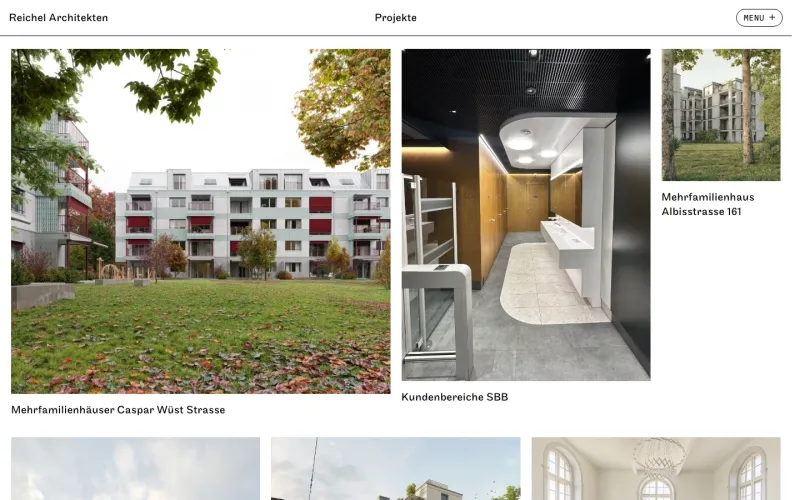
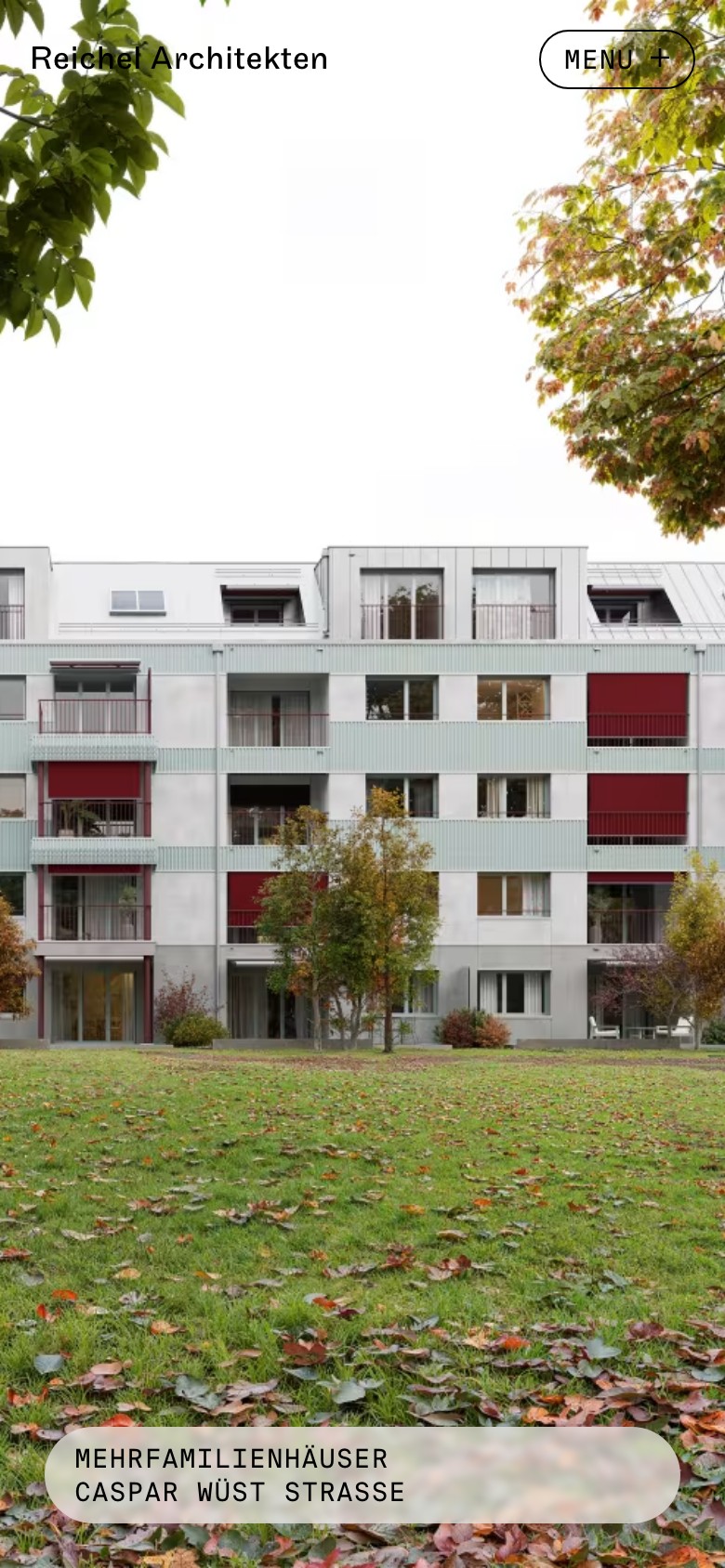
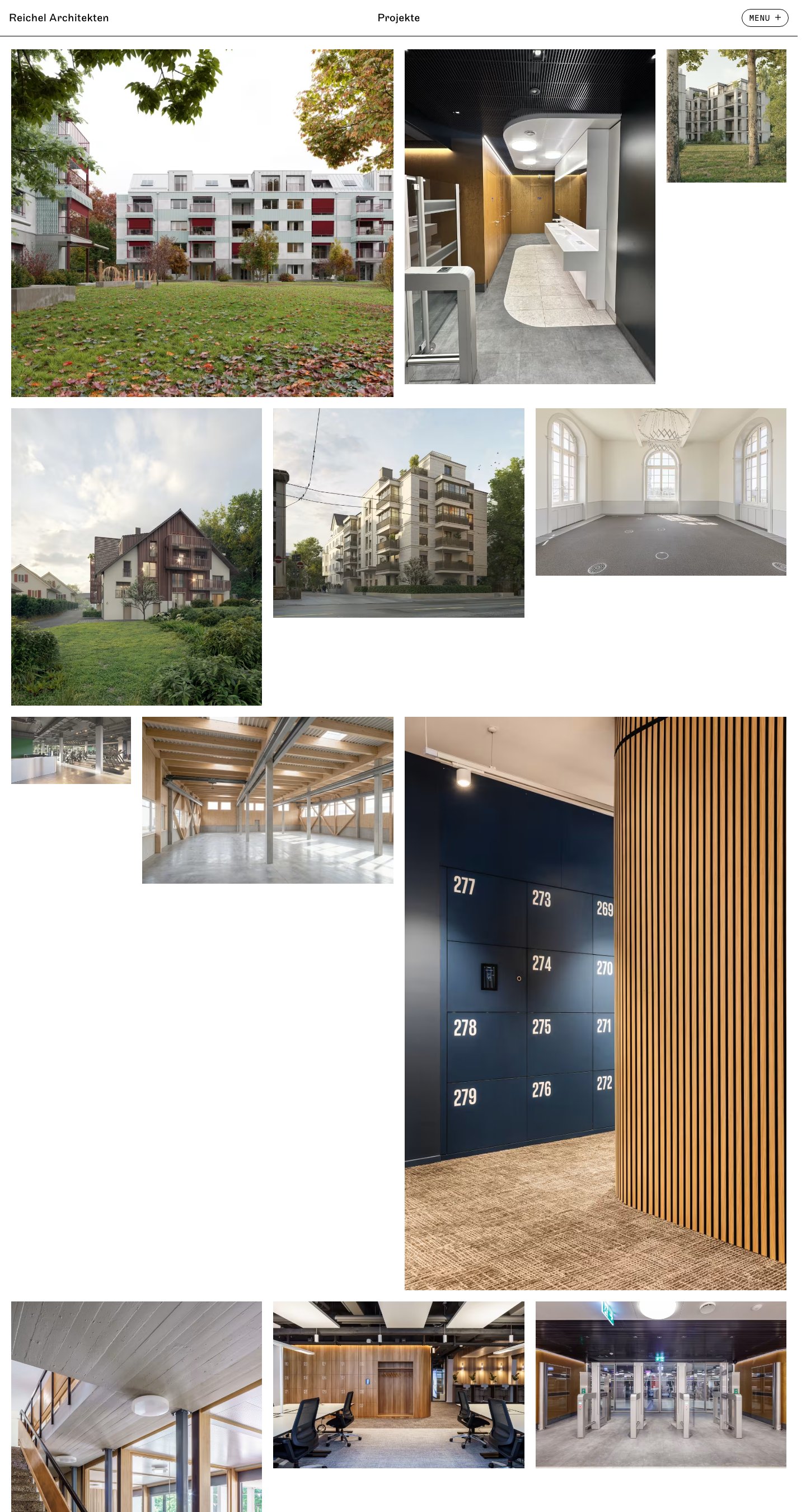
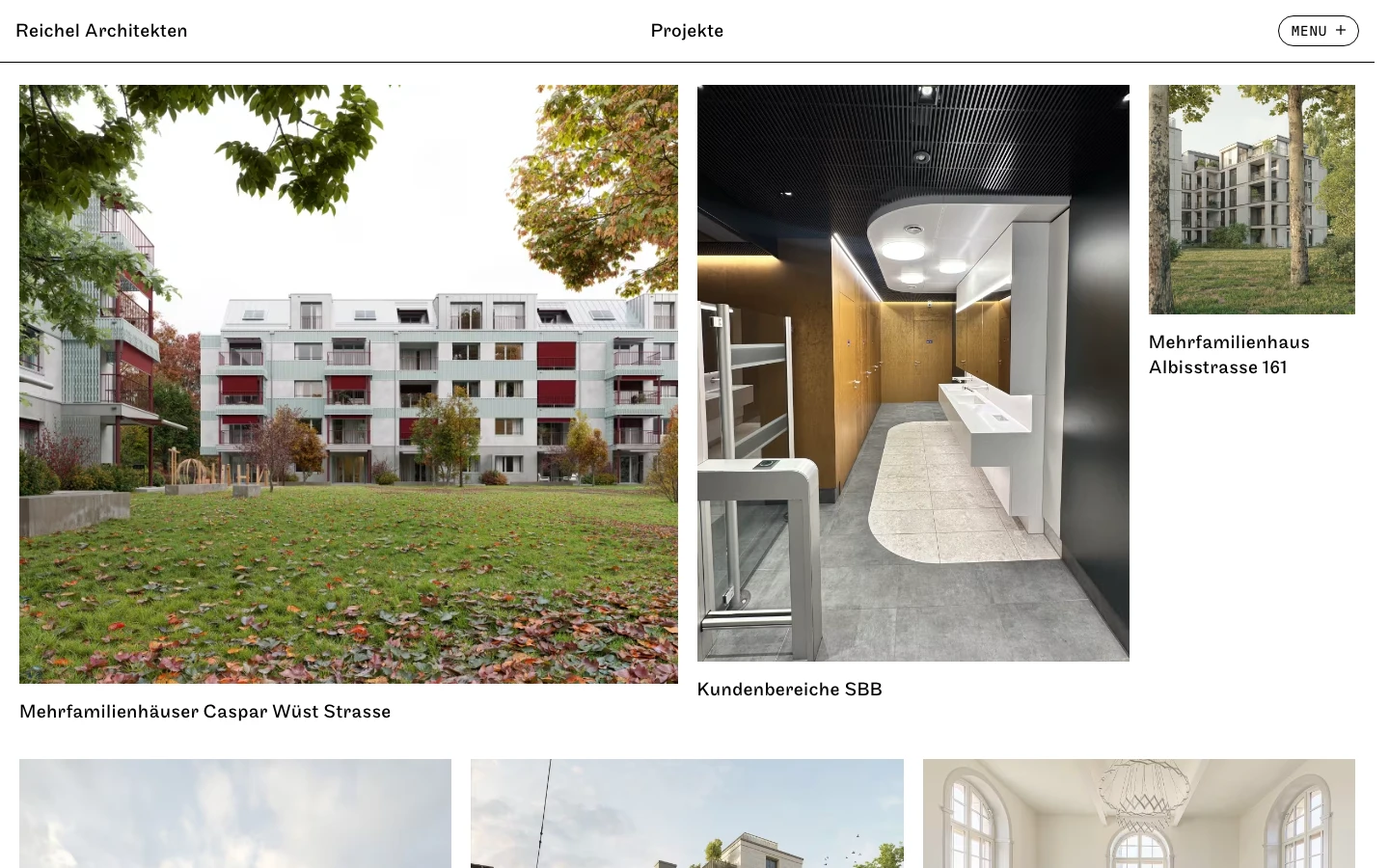
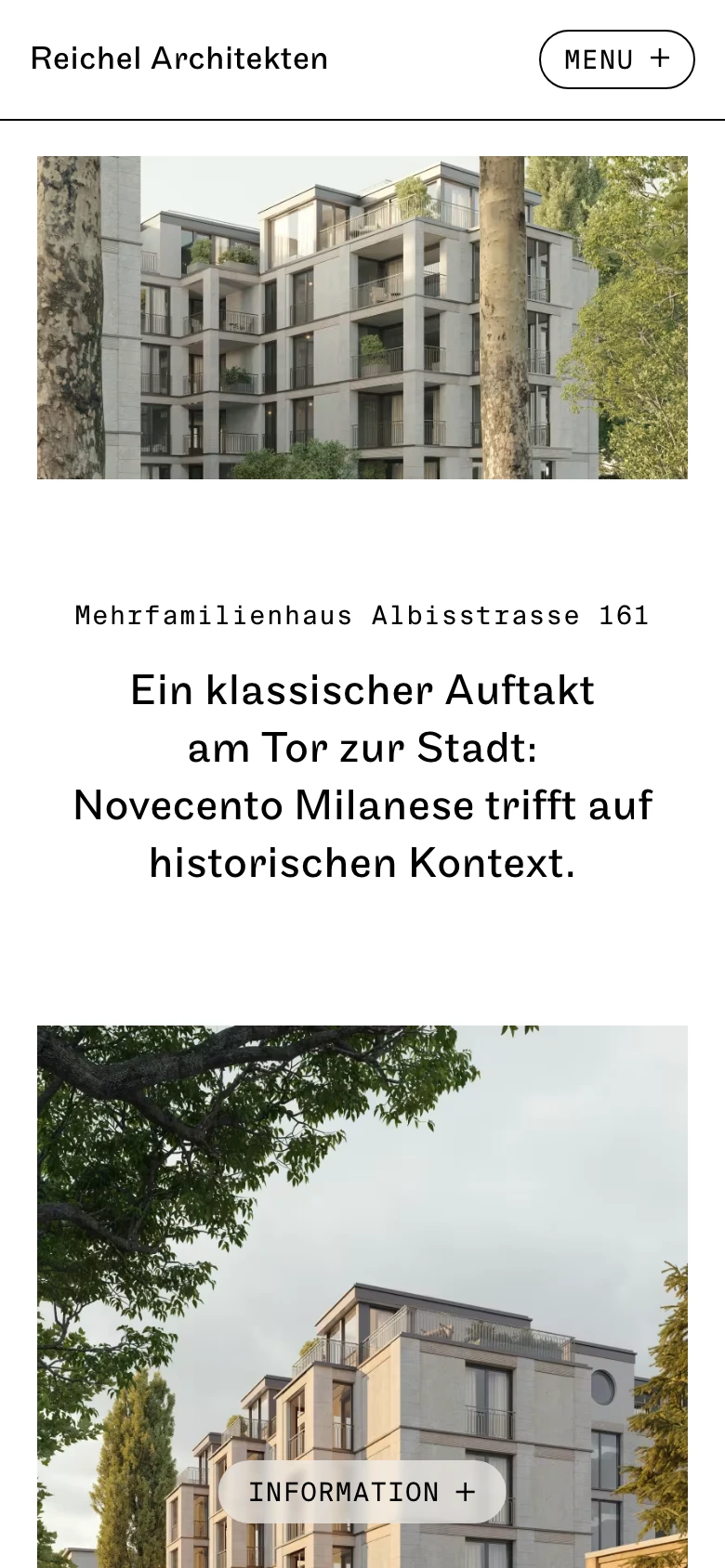
The grid Project images in different sizes, each with its title. -
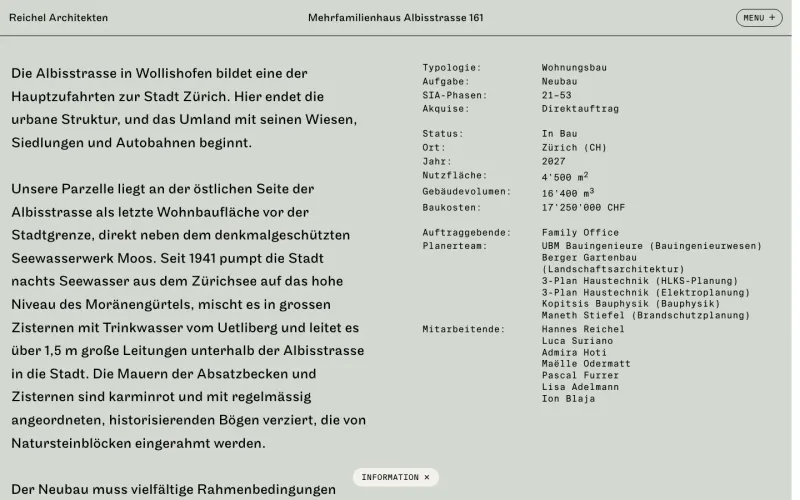
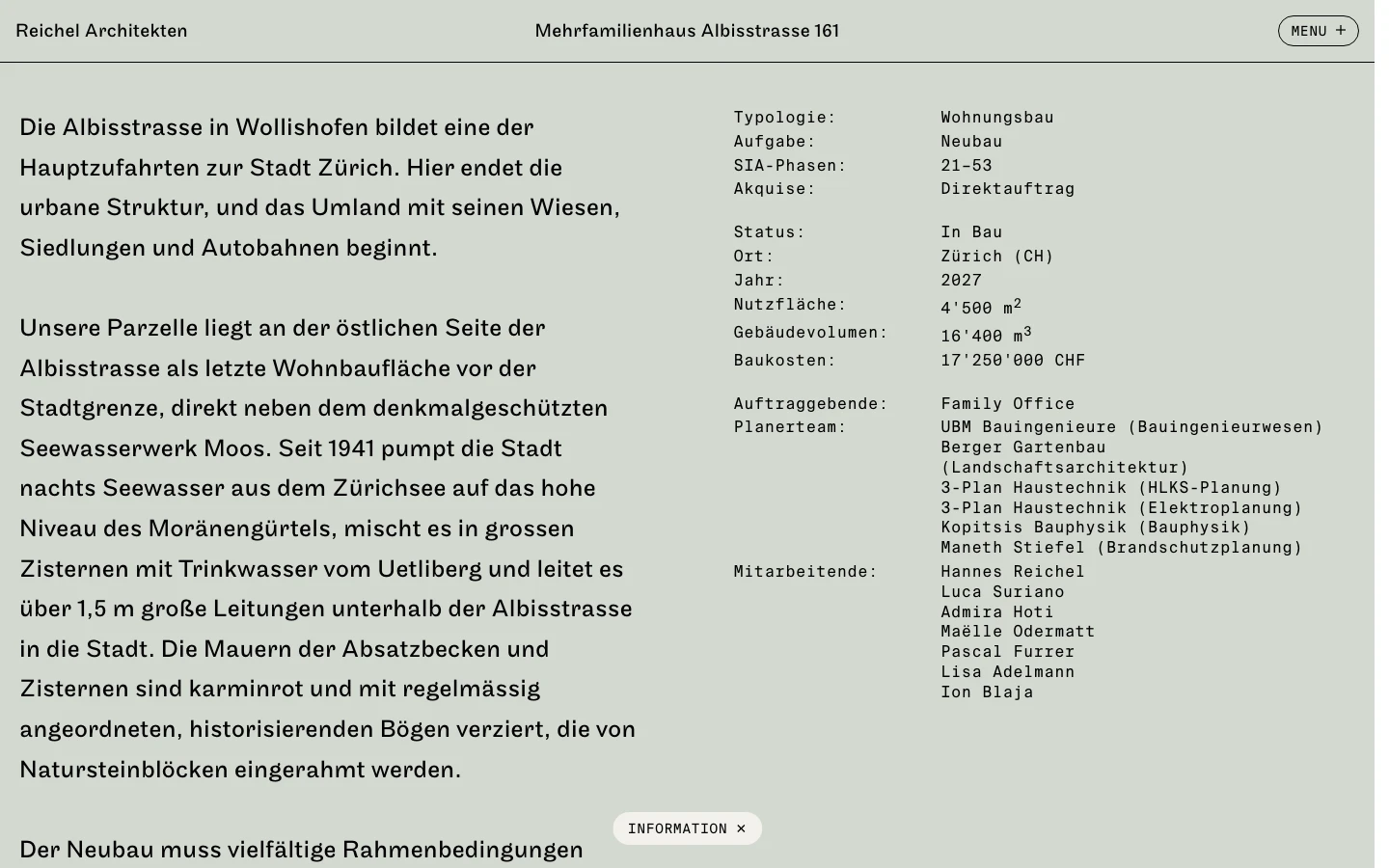
The project data “Information” opens the data next to the text: typology, status, key figures and team.
-
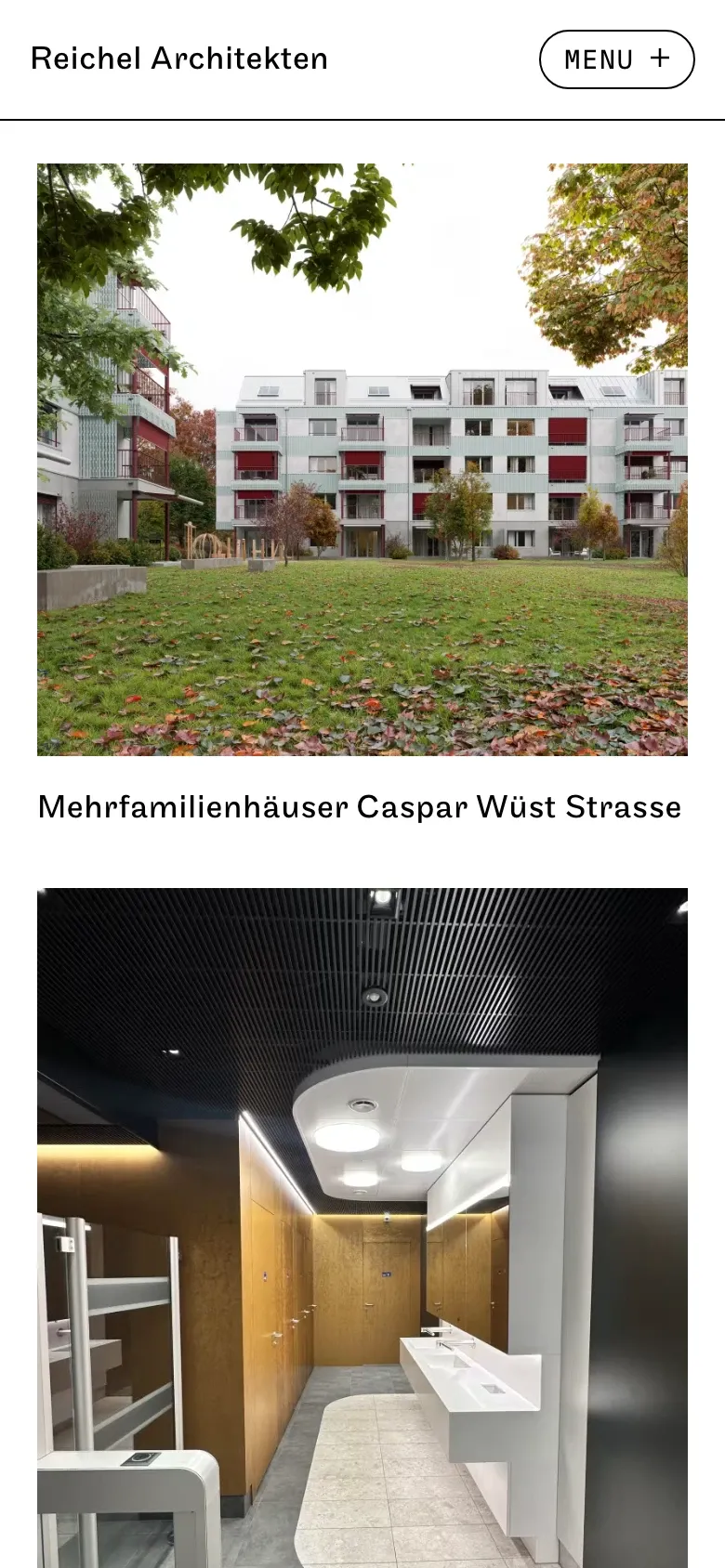
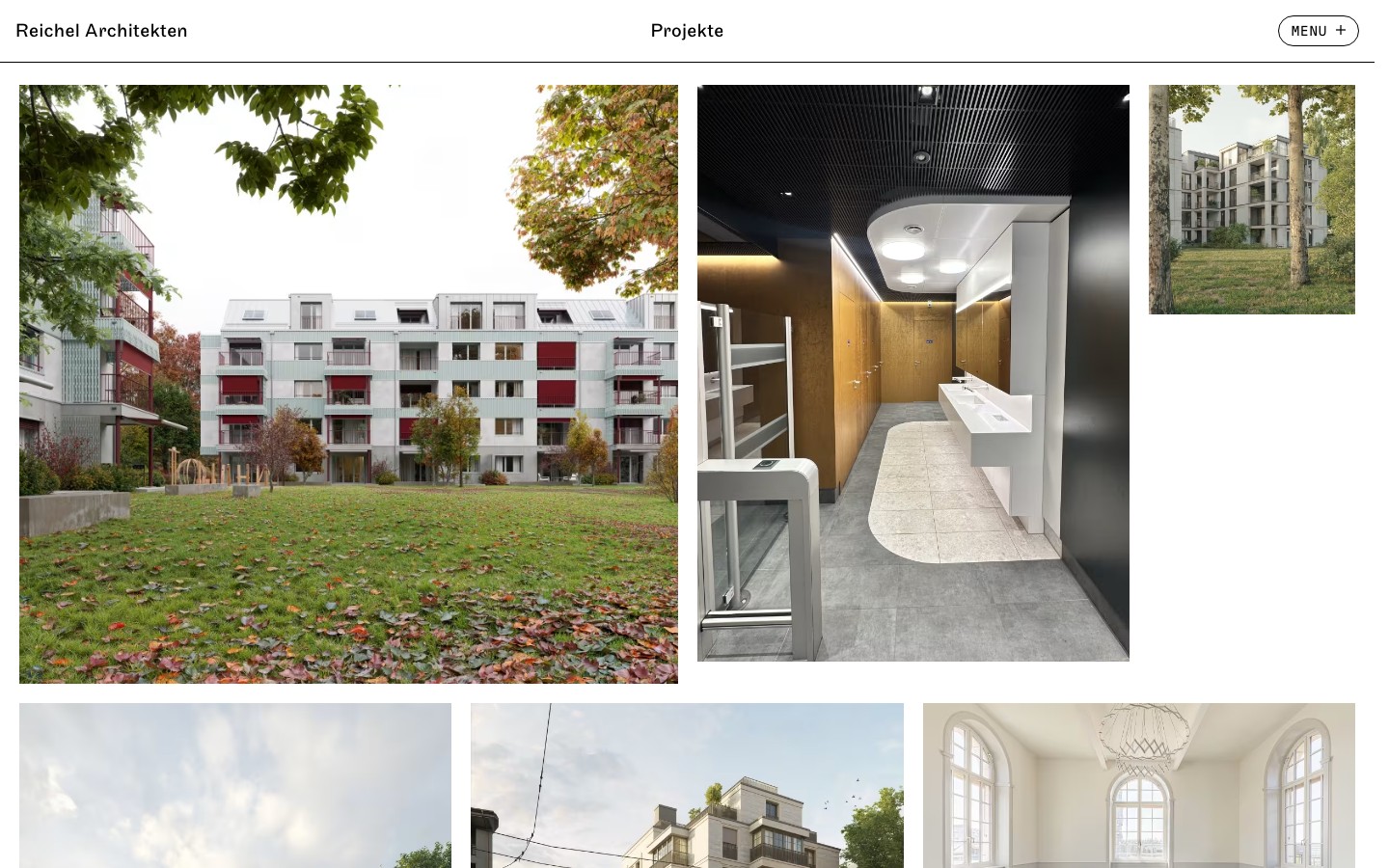
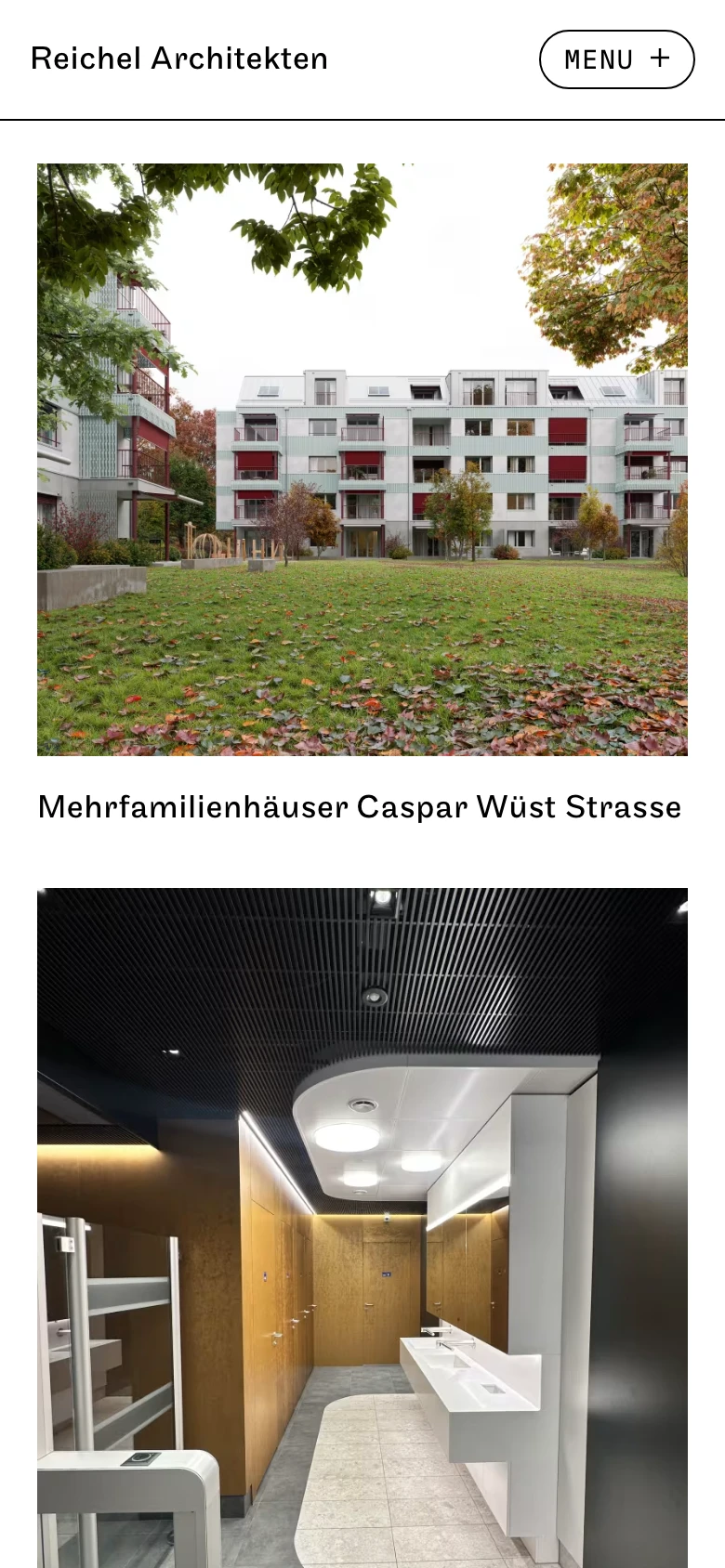
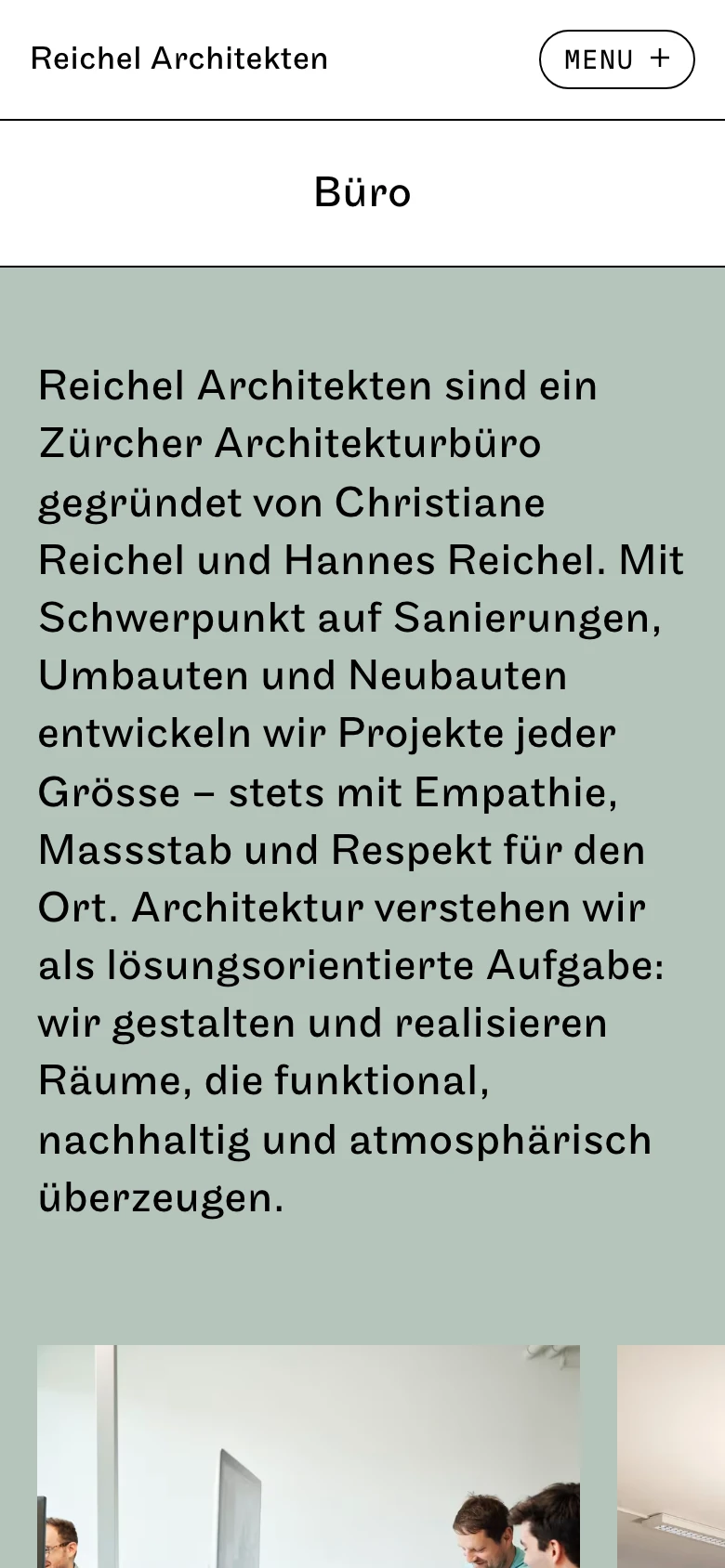
One project per image On phones each project fills the full width, with its title below. -
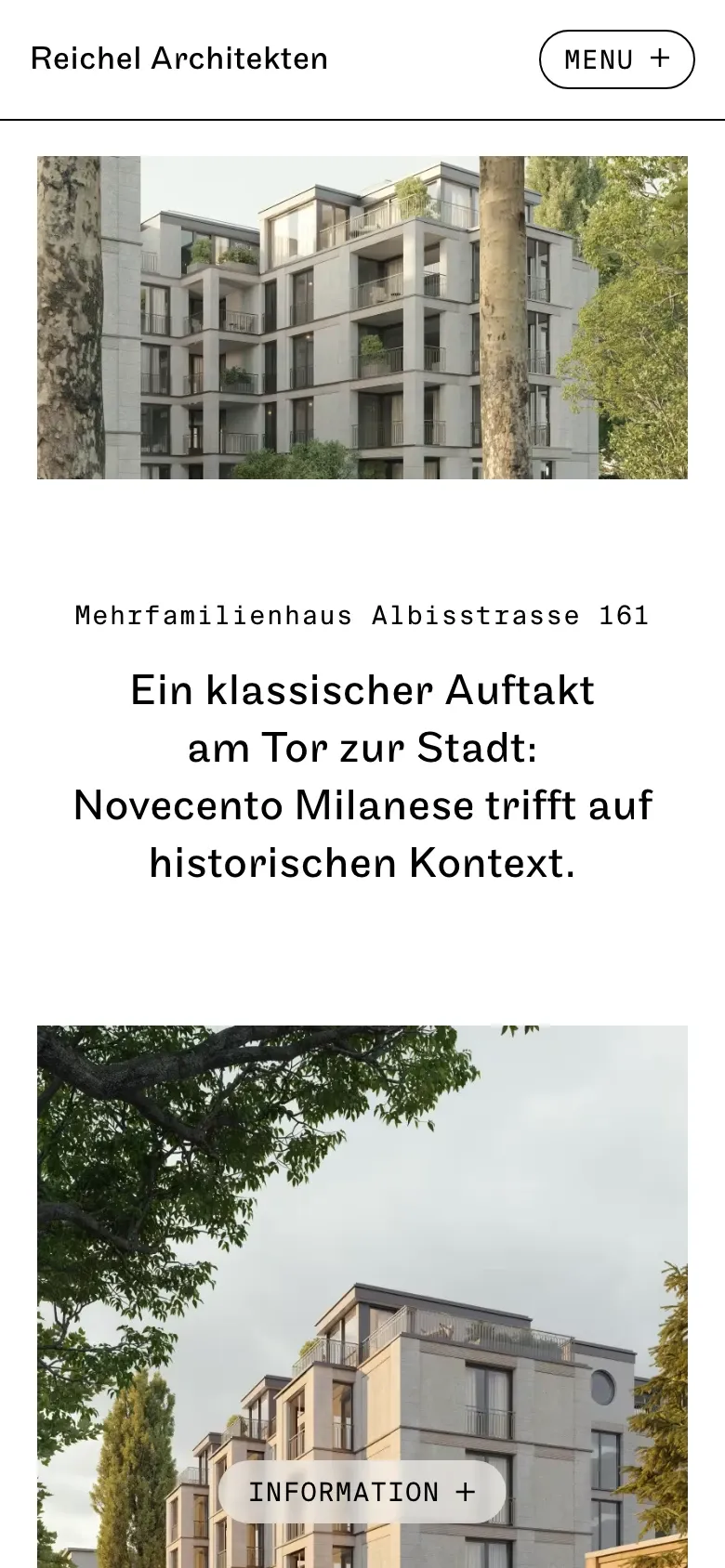
Two typefaces The project name in Suisse Intl Mono, the statement in Maple. -
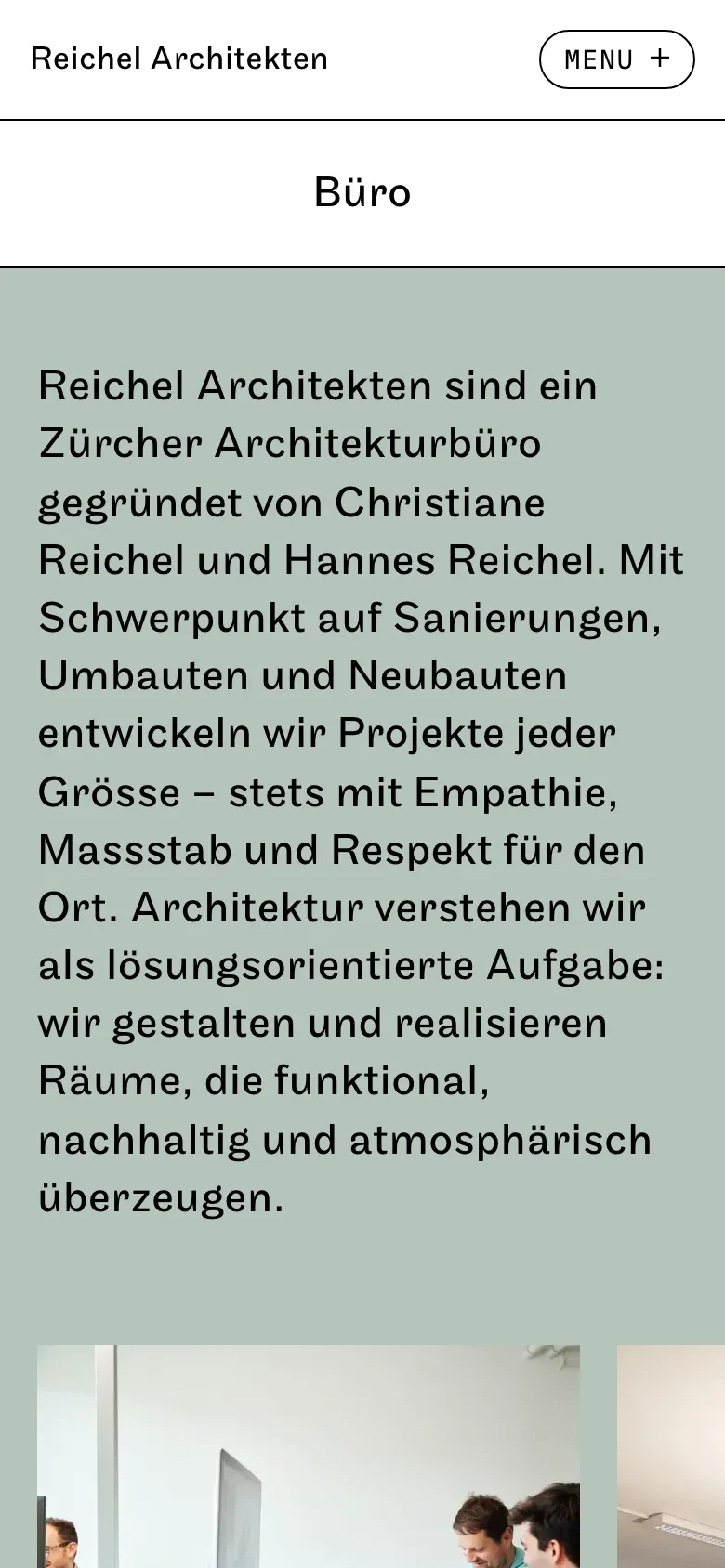
Color as a surface Content blocks sit on one of the practice’s tones, here green. -

Type only The contact page needs no image: address, phone and email on blue-gray.

You have seen all {count} images.
If you continue you will start over.
-
Colors
- Black #000000
- Dark gray #4A4A4A
- Gray #666666
- Blue-gray #AFBBC9
- Green #B5C4BB
- Sage #D3D8D0
- Yellow #EDE8C4
- Light blue #E6ECF4
- Cream #F3F1ED
- White #FFFFFF
- Black on White: 21 : 1 AAA
- Black on Light blue: 17.66 : 1 AAA
- Black on Sage: 14.5 : 1 AAA
- Black on Blue-gray: 10.77 : 1 AAA
- Black on Yellow: 16.94 : 1 AAA Link
- Black on Green: 11.57 : 1 AAA
- Black on Cream: 18.61 : 1 AAA
- Dark gray on Blue-gray: 4.54 : 1 AA
The site has no dark mode.
-
Type
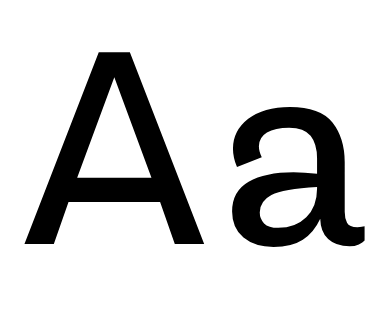
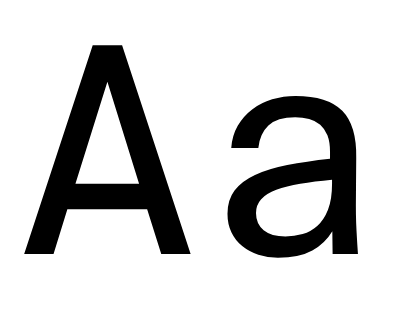
Maple Text and large headings
Suisse Intl Mono Small headings, buttons and menu
Six fluid steps from 12 to 54 px.
What I did
Visible
-
Project overview with filters by typology, task, status and scope of work, several at once. Sorted by year, with featured projects first within each year; shown as images or as a list. Filters, view and sorting appear in the URL in readable form (
/projekte?typologie=wohnungsbau&typologie=buerobau&view=list&sort=year:asc). That way you can email any view. -
Portrait images: if a project image has a portrait version, the site shows the right one for how the device is turned, with no extra upkeep.
-
Page transitions as a crossfade with no white flash; the first image of each page preloads. Three easing curves for all animations; recurring elements appear staggered. With “Reduce motion” all animations are off.
-
Keyboard accessible: skip link, visible focus, overlays that trap focus and close with Escape. Slideshow and marquee have a pause button. The site also supports high contrast mode.
In the background
-
Project data in dedicated fields: typology, task, status and scope of work as choices, plus location, year, SIA phases, usable floor area, building volume, construction costs, clients, planning team and staff. These fields drive the filters and sorting of the project overview, each project’s info panel and its schema.org data.
Why does this matter?
The practice enters each detail once in its field. The site orders it and shows it the same way everywhere. Search engines read a project’s location and year directly.
-
10 page types and 18 blocks (images, slideshows, marquees, statements, videos and more); the Panel lets you combine the blocks freely. Every block and every workflow has a help article right in the Panel.
Why does this matter?
The practice maintains projects, news, team and jobs itself. New staff find their way without outside instructions.
-
Images in AVIF, WebP and JPEG at the size of the screen, with a blurred placeholder (ThumbHash) and lazy loading. The site converts videos to a web format on upload and creates a poster image. A static cache serves pages already visited, except the filtered project list.
Why does this matter?
A phone loads only what the screen needs. The server doesn’t have to rebuild a cached page, so it delivers it faster.
-
Meta title and meta description for every page, with a fallback from the content; schema.org data for the practice and its projects, sitemap, robots.txt and llms.txt. Filtered project lists are set to noindex. 125 redirects (301) from the URLs of the old WordPress site to the new pages.
Why does this matter?
Links on Google and other sites stay valid. Search engines and AI search read the structured data directly.
-
Analytics with Plausible, without cookies. It respects Do Not Track and Global Privacy Control. Fonts and scripts come from the site’s own domain. Security headers such as HSTS and Content-Security-Policy on my server.
Why does this matter?
Without cookies the site needs no cookie banner. The headers protect visitors from injected code and insecure connections.
-
Three environments: development, staging and live. I deploy a change to live only by hand. Automated tests check the project filters, sorting, the preloading of the first image and the robots settings of filtered lists.
Why does this matter?
The practice can check every change on a copy with real content before visitors see it.
In detail
Sorting and filtering
The first click on a column sorts in its usual direction, the second in reverse, the third by year again. The arrow shows the direction. While you choose typologies, you see how many projects match; “Anwenden” (Apply) filters the list. Below the list is the URL the page writes along the way.
Logomark
The logomark on the home page keeps turning in quarter turns, with the same easing curve as all other animations. Type “reichel” and it spins all the way around once.
Menu toggle
On hover the button turns black. A click turns the header yellow, rotates the plus into a cross and slides the menu in from the top. Escape closes it.
Accordion
Sections open and close with a height animation, in Safari too. The plus rotates and the title indents on hover. The sliders let you compare the site’s curve with standard curves.
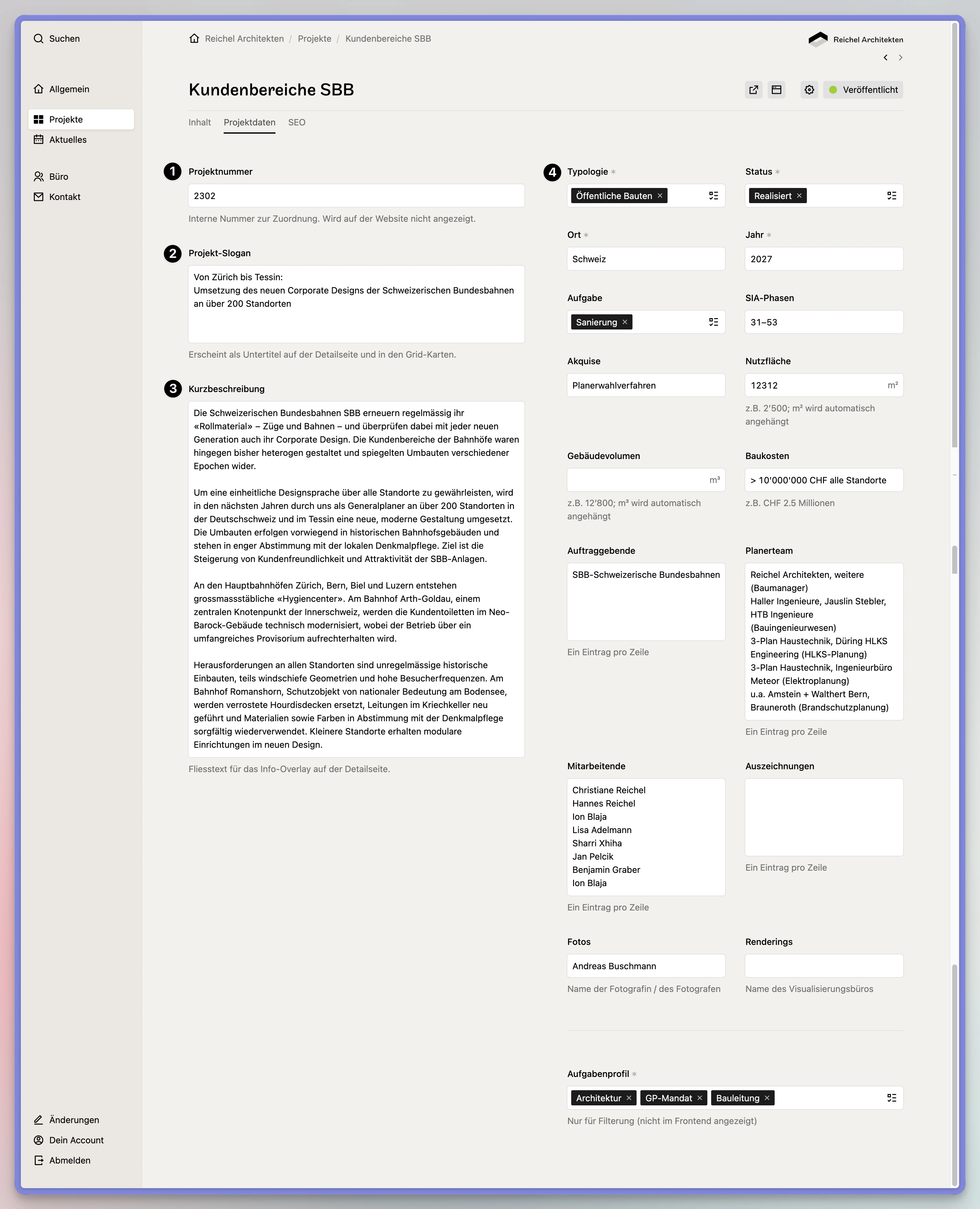
Project data in the backend
The practice keeps each project detail in its own field, with hints and units. These fields feed the filters, the info panel and the schema.org data.
You have seen all {count} images.
If you continue you will start over.
Numbers
Load time
-
PageSpeed Insights, performancehome page
before99 after100
-
PageSpeed Insights, performance/projekte
before88 after100
-
Load time (LCP, simulated)home page
before1.70 s after0.93 s
-
Load time (LCP, simulated)/projekte
before3.79 s after1.86 s
-
Page weighthome page
before1,823 KB after1,569 KB
-
Page weight/projekte
before671 KB after501 KB
Accessibility
-
PageSpeed Insights, accessibilityhome page and /projekte
100
Cookies
-
Cookieswhole site
0
Privacy
-
Third-party hosts on load4 pages
1
How and when this was measured
All numbers come from the live site unless noted. Measurements vary from run to run; this is when and with what each one was taken.
- PageSpeed Insights, performance, home page before November 3, 2026, before the optimization, 2 runs · after November 3, 2026, current, 2 runs PageSpeed Insights, mobile
- PageSpeed Insights, performance, /projekte before November 3, 2026, before the optimization, 2 runs · after November 3, 2026, current, 2 runs PageSpeed Insights, mobile
- Load time (LCP, simulated), home page before November 3, 2026, before the optimization, 2 runs · after November 3, 2026, current, 2 runs PageSpeed Insights, mobile (simulated phone)
- Load time (LCP, simulated), /projekte before November 3, 2026, before the optimization, 2 runs · after November 3, 2026, current, 2 runs PageSpeed Insights, mobile (simulated phone)
- Page weight, home page before November 3, 2026, before the optimization · after November 3, 2026, current Page weight (Playwright, WebKit): phone 390 × 844, no scrolling, no video
- Page weight, /projekte before November 3, 2026, before the optimization · after November 3, 2026, current Page weight (Playwright, WebKit): phone 390 × 844, no scrolling, no video
- PageSpeed Insights, accessibility, home page and /projekte November 3, 2026, current PageSpeed Insights, mobile
- Cookies, whole site November 3, 2026, current Response headers
- Third-party hosts on load, 4 pages November 3, 2026, current Playwright, hosts on load
Stack
CMS
-
Kirby (opens in new tab)Kirby is the CMS that adapts to you Kirby is the content management system that adapts to any project. Made for developers, designers, creators and clients.
 getkirby.com (opens in new tab) Panel with 18 blocks
Language
-
PHP (opens in new tab)PHP PHP is a popular general-purpose scripting language that powers everything from your blog to the most popular websites in the world.
 php.net (opens in new tab) runtime, custom plugins
Frontend
-
PostCSS (opens in new tab)PostCSS - a tool for transforming CSS with JavaScript Transform CSS with the power of JavaScript. Auto-prefixing, future CSS syntaxes, modules, linting and more are possible with hundreds of PostCSS plugins.
postcss.org (opens in new tab) native CSS, one stylesheet
- esbuild (opens in new tab)esbuild - An extremely fast bundler for the web one script for the whole site
Libraries
-
Swup (opens in new tab)swup — Versatile and extensible page transition library for server-rendered websites
 swup.js.org (opens in new tab) page transitions with the A11y, Head, Preload and Scroll plugins
Extensions
-
Staticache (opens in new tab)GitHub - getkirby/staticache: Static site performance on demand Static site performance on demand. Contribute to getkirby/staticache development by creating an account on GitHub.
 github.com (opens in new tab) static cache for visited pages
-
Kirby ThumbHash (opens in new tab)GitHub - tobimori/kirby-thumbhash: 🚀 Smarter image placeholders with ThumbHash for Kirby 🚀 Smarter image placeholders with ThumbHash for Kirby - tobimori/kirby-thumbhash
 github.com (opens in new tab) placeholder until an image has loaded
-
Kirby Help View (opens in new tab)GitHub - medienbaecker/kirby-help-view Contribute to medienbaecker/kirby-help-view development by creating an account on GitHub.
 github.com (opens in new tab) help articles in the Panel
Services
-
Ploi.io (opens in new tab)Ploi - Server Management Tool Use Ploi.io for easy site deployments. We take all the difficult work out of your hands, so you can focus on doing what you love: developing your application.
 ploi.io (opens in new tab) three environments on my server
-
Plausible (opens in new tab)Plausible Analytics Plausible is a lightweight and open-source Google Analytics alternative. Your website data is 100% yours and the privacy of your visitors is respected.
plausible.io (opens in new tab) analytics without cookies